Scrubs and Healthcare Uniform Ordering Portal
Clinicians and support staff order by role, size charts sit on each product, and an exchange can be raised straight from the order that needs it.
How it works for your clients
Scrubs by role, in the right size first time.
Clinicians and support staff, each by role
Nursing, pathology and support staff each sign in under their own role, seeing the range and colour set up for their team.Colour by role, so each team only sees its own range
A role decides which products and colours a team can order, so Nursing sees its scrubs and Pathology sees its own range, without either team wading through the other's.Stock by size, with a low-stock alert before you run out
Stock is tracked by size, and a low-stock threshold you set per product raises an alert, so you can restock before a size runs out.On account, with a cost centre at checkout
The checkout field can be renamed Cost centre and made required, so every order on account already carries the code it needs for reconciling.
What their store stocks
The product art below is the portal's own catalogue style, drawn to match the range this kind of client actually orders.

Scrub top
Nursing
Scrub pants
Nursing

Lab coat
Pathology

Lanyard and card holder
All staff
The rules that matter for this kind of client
Roles per team
A role such as Nursing or Pathology decides the range and colour a person orders from, so teams don't have to sort through each other's catalogue.Size charts on each product
A size chart is set once and shared across every product it applies to, so sizing information stays consistent instead of drifting product by product.Exchanges from the order
A staff member raises an exchange from their own order rather than by email, and it lands in your Returns inbox with a returns slip telling them what to send back.Cost centre at checkout
Rename the checkout field to Cost centre and make it required, so on-account orders arrive already coded for reconciling.Allowance per role
Set an allowance per role or per person, with an initial issue for a new starter and a scheduled top-up after.
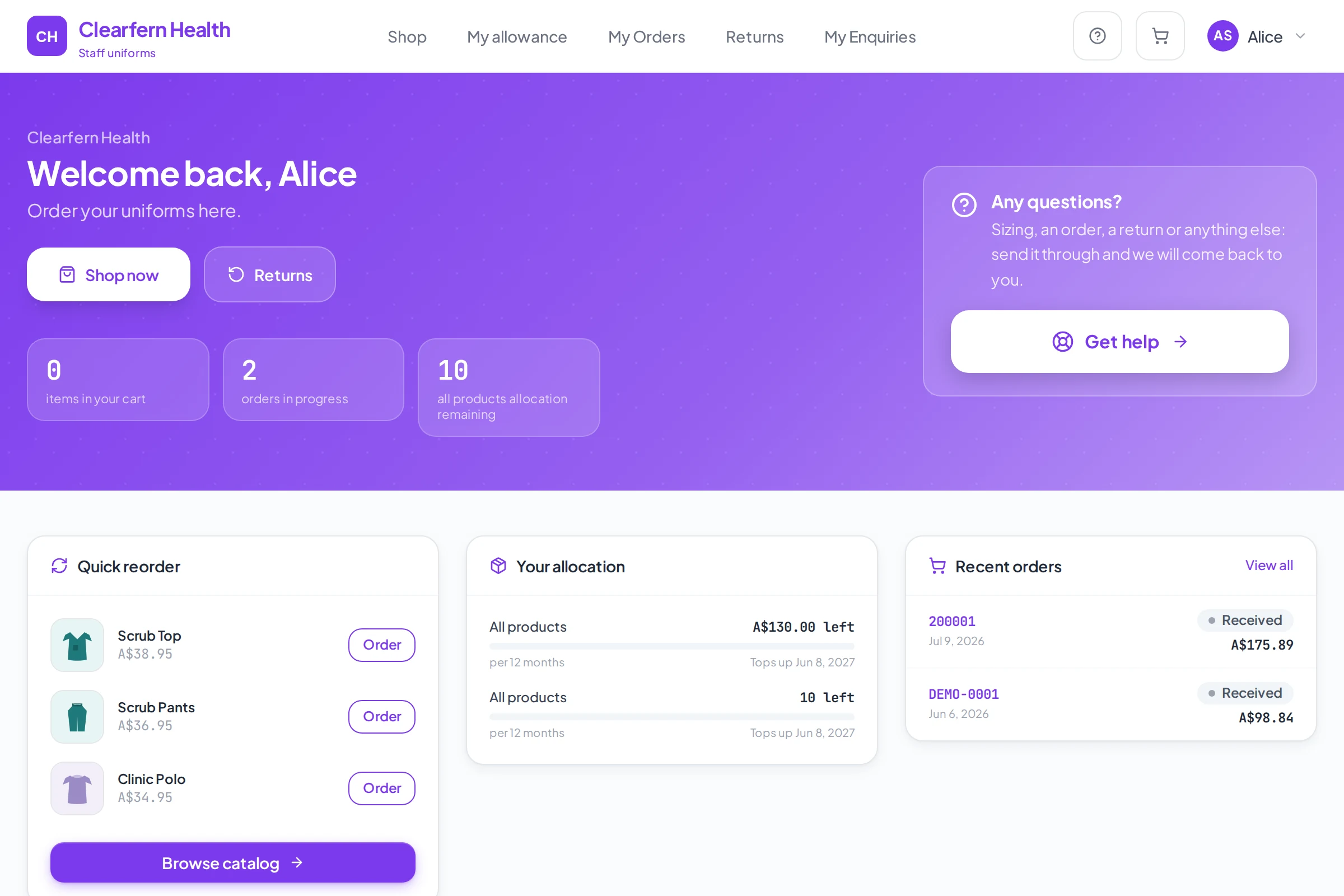
What their portal looks like
- A size chart set once, shared across every product
- Colour and range by role, not by memory
- Exchanges raised from the order, not an email
- A cost centre field at checkout for on-account orders
Before and after
Today sizes go back and forth by email. Here a size chart sits on each product, and exchanges are raised from the order itself.
Frequently asked
Can nursing and pathology see different ranges?
Yes. A role decides which products and colours a person can order, so each team sees only its own range.
Where does sizing information live?
On a size chart, set once and shared across every product it applies to, so it stays consistent instead of being repeated, and drifting, product by product.
How does a staff member raise an exchange?
From their own order in the portal. It lands in your Returns inbox and moves through its own stages, and the customer gets a returns slip listing what to send back.
Can we add a cost centre to every order?
Yes. The checkout field can be renamed Cost centre and set to required, so it comes with every order placed on account.
What does pricing look like?
Pricing depends on how your business is set up, so it is quoted after a conversation rather than published as a number.
Built the same way for every kind of client
See it set up the way your clients order.
Tell us who you supply and how orders reach you today. We will walk you through a portal set up the way your clients order.